Easier Widget Resizing with New Controls in Android 16 QPR3 Beta 2
I've been following the Android 16 QPR3 Beta 2 release closely, and it seems Google is tweaking how we interact with widgets. For those unfamiliar, widgets are those handy little tools you can place on your home screen for quick access to information or functions. Resizing them has always been a pretty straightforward affair: long-press, reposition, and drag the edges.
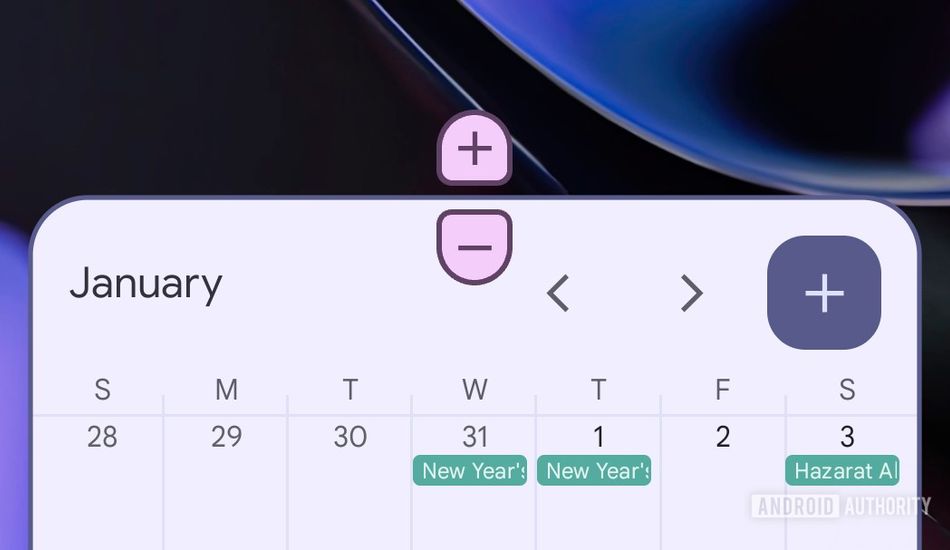
However, with this new beta, things are getting a bit of a facelift. Instead of relying solely on dragging those anchor points, Android is introducing plus and minus buttons for resizing. At first glance, it might not seem like a big deal, but I think it could be a welcome change for some users.
Specifically, I can see how this could improve accessibility. Not everyone has the easiest time with fine motor control, and precisely dragging the edges of a widget can be a bit fiddly. With these buttons, you can achieve the same result with simple taps, which is a lot more forgiving. It's a small thing, but those small things can make a big difference. For example, someone with arthritis in their hands might find tapping much easier than dragging.
Another neat thing I noticed is that these buttons provide clearer feedback when you've hit the widget's size limits. No more guessing if you can make it any bigger or smaller – the buttons simply disappear when you've reached the maximum or minimum size. It's a subtle but helpful improvement.
Visually, the resizing buttons adapt to your system theme, which is a nice touch. While they might look a little odd at first, at least they blend in with your overall aesthetic. I feel like this is a good thing, since it keeps the look and feel consistent across the user interface.
Now, as with any beta feature, there's no guarantee that these new resizing buttons will make it to the final, stable release. Google could tweak them further, or even scrap them altogether. But I'm personally hoping they stick around, as I think they offer a more accessible and user-friendly way to resize widgets.
It´s really nice to see Google thinking about users that can have motor control difficulties, and how that impacs their experience when using their phones. I appreciate the focus in accessibility and inclusivity that Google has been adding to Android.
Source: AndroidAuthority