Android 17: What You Can Expect from the Newest Release
The initial Android 17 beta might seem uneventful at first glance. Don't be fooled! If history repeats itself, this version is primarily for developers, setting the stage for cool new features down the road. Think of it as laying the groundwork for what's to come, similar to how Android 16 unfolded last year. For example, Google usually uses the initial version for API and SDK releases.
So, if you believe Android 17 won't bring much to the table, prepare for a surprise. I think we're in for a year of exciting enhancements that will gradually roll out. To give you a taste of what's in store, I'm sharing some of my favorite features currently in development for Android 17.
Enhanced Security with App Lock
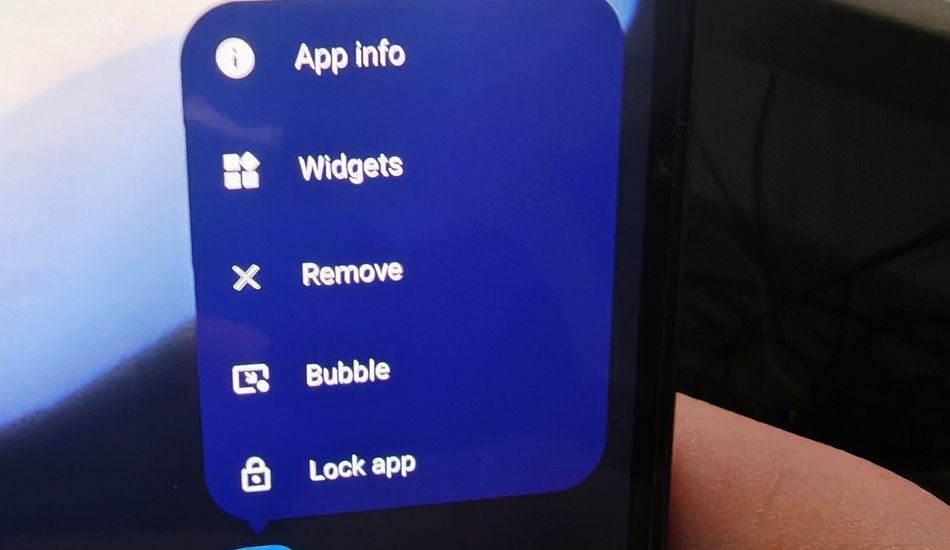
Many Android manufacturers already offer the ability to lock individual apps with biometrics or a PIN. The great news is that Android 17 will integrate this feature directly into the OS, ensuring that it will be available on every Android device. This is a significant upgrade, especially for Pixel users who've been missing out on this extra layer of security. It should also standardize app locking across different Android interfaces.
With App Lock, you can secure sensitive apps like your banking app, email, or photo gallery. Imagine handing your phone to a friend without worrying about them accidentally stumbling upon private information. Plus, it will also keep notifications from locked apps private. For example, If you often hand your phone over to a child or to some friends, or if you’d like to keep apps tightly protected in case your phone is stolen, App Lock should help with that.
I'm curious to see if App Lock will be a one-time unlock or a persistent setting with a timeout period. Hopefully, it'll automatically re-lock after a set time of inactivity.
Revamped Screen Recorder
Android's current screen recorder is decent, but it lacks advanced features for more demanding users. While it recently gained the ability to record a single app, it still doesn't offer partial screen recording or the option to include a selfie camera feed. But as Android expands to PCs this year, the screen recorder is expected to receive major upgrades.
The new screen recorder will likely appear as a floating toolbar with options to record the selfie camera for tutorials or add options to record external displays. You can also choose the specific area of the screen you want to record. For example, if you're creating a tutorial, you can record just the relevant part of the application window. Furthermore, after you finish recording, you'll be able to edit the video right away.
Separate Wi-Fi and Data Toggles
I've come to terms with Android's combined "Internet" Quick Settings toggle, but many people still find it confusing. I still get questions from family and friends about why their phone isn't connecting to Wi-Fi, only to discover that it was accidentally turned off. It happens!
Google is finally addressing this by reintroducing separate Wi-Fi and data toggles. This change will make it easier to manage connectivity, especially for those who want to conserve data or quickly troubleshoot network issues. For example, If my mom doesn’t want to consume a lot of her data plan, she can turn it off, and if my dad notices his phone isn’t connecting to the home network, he can see that Wi-Fi is off. Simpler and clearer.
Improved Contact Privacy
One of my biggest pet peeves on Android is apps that demand excessive permissions for no apparent reason. That's why I'm thrilled to see Google strengthening privacy controls, including limited contact access. I will finally be able to grant apps like Telegram or WhatsApp access to only certain contacts.
This is a crucial privacy enhancement, especially considering that some apps require full contact access to function properly. I dislike the thought that someone else with my phone number could be giving it away willy-nilly to any app that asks for it. This should’ve been an Android 6.0 feature, not an Android 17 feature.
Cross-Device Handoff
Android already offers some cross-device features, but there's plenty of room for improvement. The upcoming "Handoff" feature in Play Services aims to bridge the gap, similar to Apple's Handoff. I'm very excited about this, since I own many Android devices.
Handoff will allow you to seamlessly switch between Android devices, such as a phone and a PC, and carry over your apps, files, clipboard, and even Do Not Disturb status. For example, the new Universal Clipboard will track anything you copy on your devices and instantly make it available to paste on others. It should be a fantastic gap-bridging feature for those who frequently move between two or more Android devices, like me.
Notification Shade Changes: A Personal Concern
Android's unified drop-down panel for Quick Settings and notifications has worked well for years. I don't want to see it changed, but some manufacturers are adopting a split notification shade similar to Apple's. While I hope Google doesn't make this the default, it seems like they're considering it for Android 17. If this happens, I’d like Google to keep the combined panel as the default; let Apple copycats have their split shade if they want. And never, ever, remove this “Classic” option.
Android 17 promises to be a significant update with many exciting features on the horizon. While not all features may make the final cut, I'm optimistic that it will bring valuable enhancements to the Android experience. It rivals Android 16 as one of the biggest Android updates in years, but it’s more likely that a few will be left in development only.
Source: AndroidAuthority